Standard-size card reference
Use a blank ID-1-size card or conceal payment details while keeping the reference edges visible.
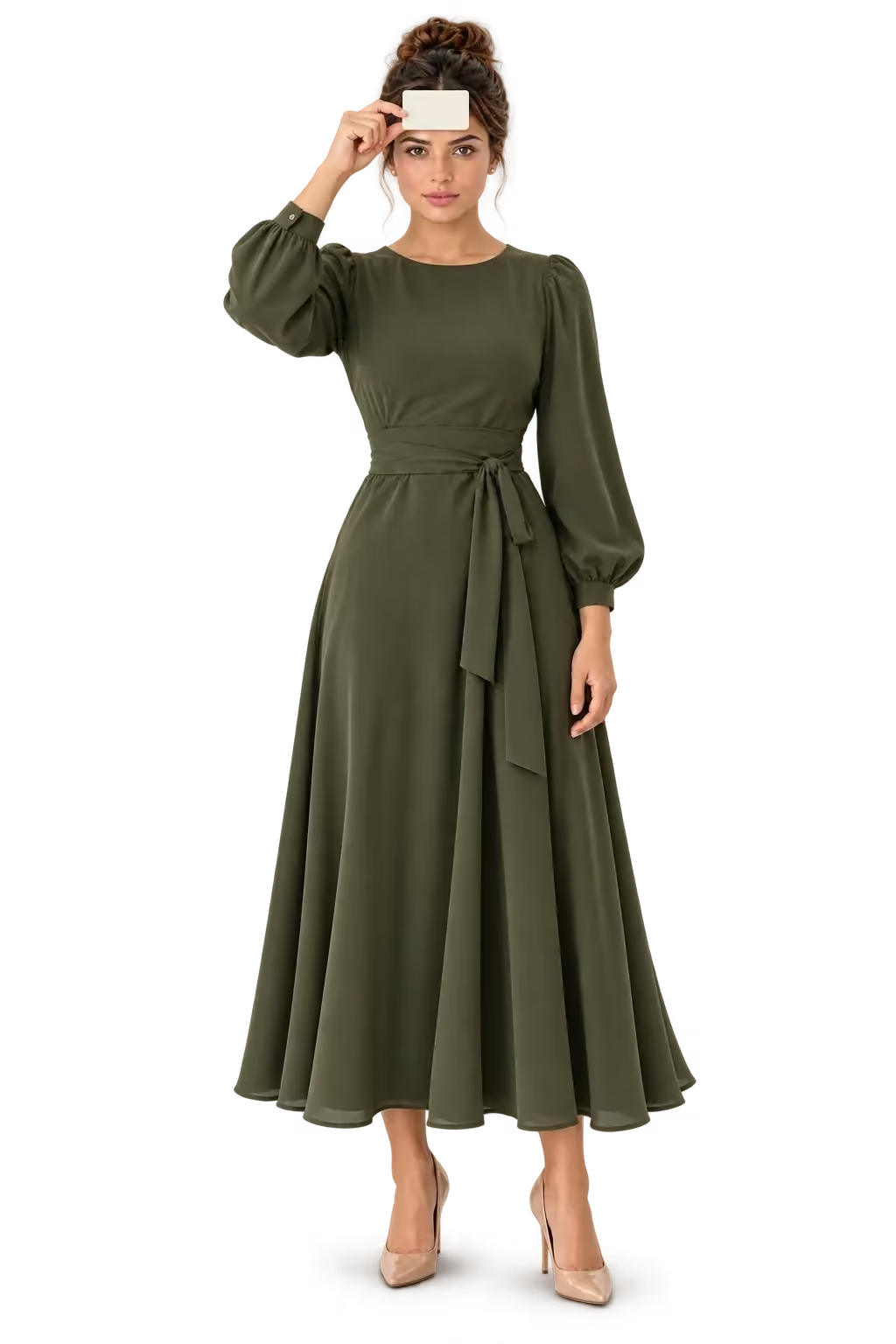
Measurements · Card-based PD
Use a standard-size card as a reference for pupillary distance. Explore the photo-based method and bring a dedicated PD measurement API into your eyewear journey.
Card-based pupillary distance measurement uses a standard-size card as a scale reference in a face photo. The known card width helps convert the distance between pupil centers from pixels into millimeters.
Use a blank ID-1-size card or conceal payment details while keeping the reference edges visible.
Keep your head level, face the camera, and place the card according to the tool’s instructions.
Repeat the capture and confirm the required measurement with your optical provider.
A familiar card. A reference for PD.
Measure pupillary distance with a standard-size card as a reference. Launch the demo and follow the capture guide.

Your personal toolkit
Measure interpupillary distance using a standard-size card as a scale reference.
Use a standard-size card with its edges visible, conceal payment details, and follow the capture guide.
Camera access is requested when you launch the demo.
Explore PD with a CardThe card-based method compares a known reference width with the distance between pupil centers in the captured image. A well-aligned capture matters because perspective and card tilt change the apparent scale. Offer card-based measurement where shoppers need PD for lens selection. Launch the dedicated capture flow through the same Makemetryon iframe used for your other experiences.
Your storefront requests analysis. The iframe runs it and sends analysis results back to your storefront.
Launch on your store today
€0
What you get
For growing catalogs
€49/ month
What you get
Best for production stores
€129/ month
What you get
High-volume & scaling teams
€299/ month
What you get
Every plan includes unlimited bandwidth, a self-service dashboard, and one production domain. Need a larger catalog or multiple domains? Talk to sales.
Take a clear front-facing photo with a standard-size card positioned as instructed by the measurement tool. The card provides a known scale so the pupil-to-pupil distance in the image can be estimated in millimeters. Keep the card level and both pupils visible. A photo alone needs a reference to translate pixel distances into physical dimensions. A standard-size card provides a known reference for estimating PD in millimeters.
A standard ID-1 card is 85.60 mm wide and 53.98 mm high. Its known dimensions provide a reference for converting image pixels to millimeters. The card is a measuring reference; no payment is involved.
Yes, if it has the same standard ID-1 dimensions and the reference edges are clearly visible. A blank card of the correct size is preferable to exposing personal or payment information. Do not use a resized printout or a card with different dimensions.
Follow the capture instructions for the specific tool. In a forehead-based capture, hold the card horizontally against your forehead above your eyebrows, without covering your pupils. Keep the card facing the camera; tilt and differences in depth between the card and eyes can affect scale.
Accuracy depends on camera quality, card position, head alignment, lighting, and the measurement method. A card provides a scale reference but does not remove perspective errors. Repeat the capture and ask your optical provider to confirm the PD needed for your lenses, especially for progressive or complex prescriptions.
Pupillary distance (PD) and interpupillary distance (IPD) commonly describe the distance between the centers of the pupils. A single binocular value is different from separate right and left monocular values. Follow your optical provider’s requirements rather than assuming one value can replace the other.
Yes. Launch the card-based PD demo and follow its capture guide with a standard-size card. Use a blank card of the same size or conceal payment details while keeping its edges visible.
Use a standard-size card, a clear front-facing photo, and even lighting. Keep both pupils and the reference edges visible. Use a blank card of the same size or hide all payment details without obscuring the outline.
Embed the Makemetryon iframe with your public key, then send { open: "measurements-ipd-pro" } through postMessage to launch card-based pupillary distance measurement. Follow the capture guide in the widget.
The Free plan includes up to 5 models and 1,000 VTO sessions. Paid plans start at €49 per month, and one subscription covers all solutions. See the plan cards above for the current limits.
Your next chapter
Turn looking into trying. Give your customers a new way to experience your products, starting with your first one.
Free plan · 5 models included
Create your account and set up your project.
Add your models and choose your experience.
Embed it on your store. Let customers explore.